
Track a fleeing vehicle without chasing it at full speed. Identify a person in seconds.
Police GPS tracker
A GPS dart fired from the front of your car.
- Install. Get out and stand at the front of the police car:
/tracker install. - Load. Load a dart:
/tracker load. The car holds 2 darts at most. - Ready. During the pursuit press X. A green line behind the car ahead means you can fire.
- Fire and follow. Press Y. A map marker shows the vehicle and its plate, and moves every 5 seconds. Other units see it too.
| Command or message | Meaning |
|---|---|
/tracker remove | Takes the launcher and any loaded darts off the police car in front of you. |
/tracker removetracker | Pulls a dart off a vehicle, which stops its marker. Suspects can use this too. If the marker stops moving, it may have been removed. |
| “Tracker has not moved in 20 seconds” | The tracked vehicle has stopped, or the dart is gone. Move in with care and call it on the radio. |
| “This vehicle does not support police tracker.” | Only some police cars can carry a launcher. Ask your Field Training Officer which ones. |
A tracked vehicle is a reason to back off, not to push harder (LEO-8.5).
Fingerprint scanner
A handheld scanner that identifies the person next to you.
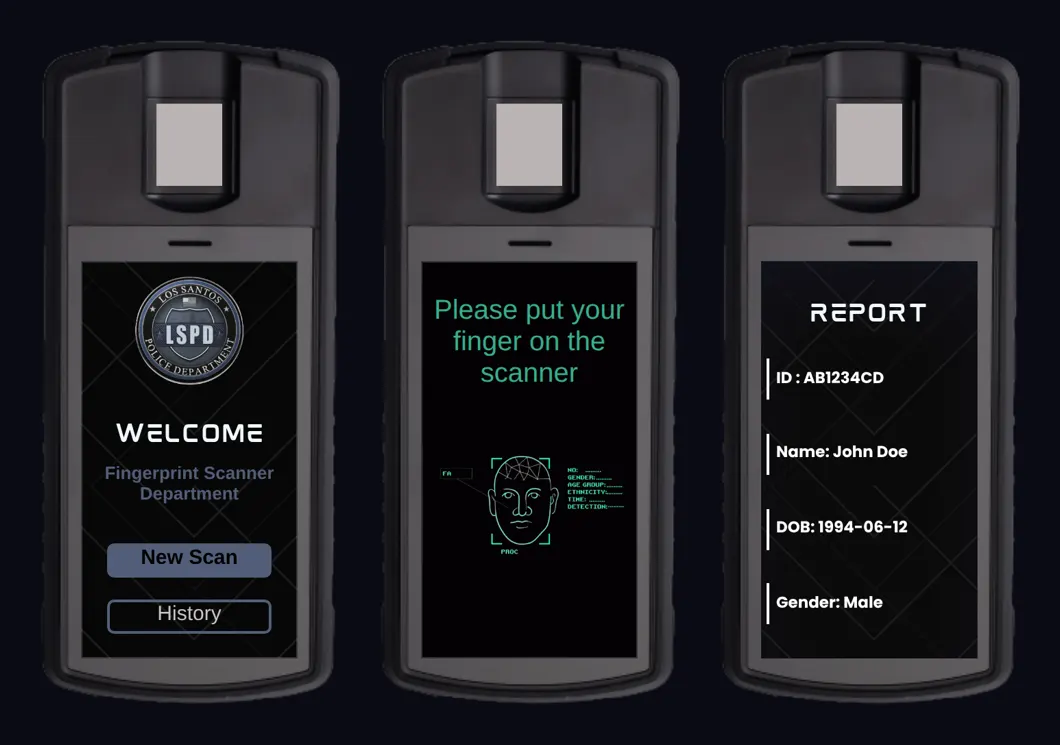
- Use the Finger Scanner item in your inventory, or type
/ftest. Press New Scan. - Stand next to the person. The scan is sent to them to confirm, and takes about 2 seconds.
- The report shows ID, name, date of birth and gender.
- History lists your earlier scans. Tap View to open one.
Highrise City RP · Highrise PD Law Enforcement Guide · Version 0.1 16 / 18